Skip to content

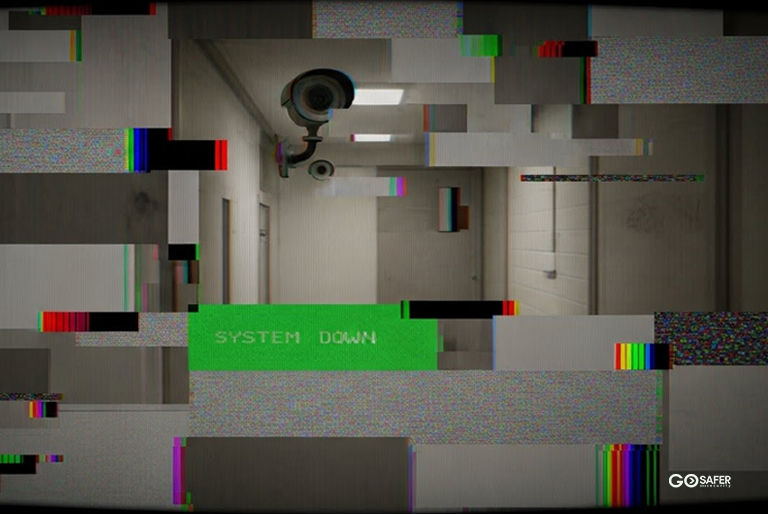
Security systems don’t usually fail all at once. They age quietly, piece by piece, like an old car that still starts but no longer feels safe on the highway. From the outside, everything might look fine. The keypad lights up. The cameras still show video. The alarm still chirps when a door opens. But underneath, technology moves on, parts wear down, and support fades away.
So how long do security systems really last? The honest answer depends on what parts you’re talking about and how they’re used.
Table of Contents
ToggleWhy Security System Lifespan Matters More Than You Think
An aging security system doesn’t usually announce itself. It just becomes less reliable. Slower alerts. Missed motion events. Cameras struggle in low light conditions. These issues don’t always feel urgent until the one moment they matter most.
Old systems also cost more in sneaky ways. Replacement parts get harder to find. Service calls increase. Compatibility with modern monitoring platforms drops off. Over time, you’re paying more to protect yourself less.
Reliability vs. Age: Not the Same Thing
A ten-year-old system might still “work,” but that doesn’t mean it’s reliable by today’s standards. Reliability means fast detection, stable communication, and consistent performance under stress. Age alone doesn’t kill a system. Neglect and obsolescence do.
What Determines the Lifespan of a Security System?
Technology Evolution and Obsolescence
Security technology moves fast. What was cutting-edge eight years ago may now lack basic features like encrypted communication or mobile app control. Even if hardware survives, software support often doesn’t.
Installation Quality and Environment
A well-installed system in a clean, climate-controlled space will outlast a poorly installed one exposed to heat, dust, moisture, or vibration. Installation isn’t just about convenience. It directly affects longevity.
Maintenance Habits and Monitoring
Regular testing, firmware updates, and battery replacements can extend system life by years. Ignored systems age faster. Simple as that.
Control Panels – The Brain of the System
Average Lifespan of Control Panels
Most control panels last 8 to 12 years. Hardware can often push beyond that, but software support usually doesn’t. Once updates stop, vulnerabilities creep in.
Signs a Control Panel Is Nearing End-of-Life
- Slow response times
- Random reboots
- Compatibility issues with newer sensors
- No longer supported by monitoring providers
When the brain struggles, the whole system suffers.
Security Cameras – Wired vs. Wireless Longevity
Indoor Cameras
Indoor cameras typically last 5 to 8 years. They’re protected from weather, but they still face heat from electronics, lens degradation, and outdated image sensors.
Outdoor Cameras
Outdoor cameras live a tougher life. Expect 3 to 6 years, depending on weather exposure. Sun, rain, dust, and temperature swings all take a toll.
Environmental Wear and Tear
UV exposure fades housings. Moisture corrodes connectors. Even the best-rated cameras age faster outdoors. Weather ratings matter more than brand names here.
Motion Sensors and Detectors
PIR Sensors
Passive infrared (PIR) motion sensors usually last 8 to 10 years. They’re simple devices, but sensitivity drifts over time.
Glass Break Sensors
Glass break detectors tend to last 7 to 10 years, assuming they’re not exposed to vibration-heavy environments.
Calibration and Drift Over Time
Sensors don’t just fail; they drift. That’s when false alarms increase or real events get missed. Regular testing is the only way to catch it early.
Door and Window Sensors
Magnetic Contact Sensors
These are some of the longest-lasting components, often 10 to 15 years. They’re simple, with few failure points.
Alignment Issues and False Alarms
Doors shift. Frames settle. A sensor that worked perfectly for years can slowly move out of alignment. That’s not a sensor failure; it’s a building reality.
Alarm Sirens and Audible Alerts
Internal vs. External Sirens
Internal sirens last 8 to 12 years. External sirens, exposed to weather, often last 5 to 7 years.
Sound Degradation Over Time
Speakers wear out. Volume drops. Tones distort. You may not notice unless you test regularly, but intruders will.
Power Supplies and Backup Batteries
Battery Lifespan Expectations
Backup batteries are the weakest link. Most last 3 to 5 years, sometimes less in hot environments.
Why Power Failures Expose Old Systems
Old batteries fail quietly until the power goes out. That’s when systems go dark at the worst possible time.
Software, Firmware, and App Support
Software Aging Is Real
Even perfect hardware becomes risky when software updates stop. Bugs go unpatched. Security gaps widen.
When Updates Stop, Security Slips
If your system no longer receives firmware or app updates, it’s already on borrowed time even if everything seems fine today.
Wired vs. Wireless Systems — Which Last Longer?
Durability Comparison
Wired systems often last longer physically. Wireless systems win on flexibility but depend heavily on batteries and radio stability.
Upgrade Flexibility
Wireless systems are easier to upgrade in pieces. Wired systems usually require more planning but offer long-term stability.
Monitoring Services and Communication Modules
Cellular and Internet Modules
Communication modules last 5 to 8 years, but network changes can cut that short.
Sunset Networks and Compatibility Risks
When carriers retire older cellular networks, older modules stop working overnight. No warning. No workaround.
Commercial vs. Residential Security System Lifespan
Usage Intensity Differences
Commercial systems see more daily use. More doors. More motion. More stress. That shortens lifespan.
Compliance and Insurance Pressures
Businesses face code updates and insurance requirements that force upgrades sooner, even if systems still function.
Signs Your Security System Needs an Upgrade
Performance Red Flags
- Delayed alerts
- Frequent false alarms
- App connectivity issues
- Unsupported hardware
Business Risk Indicators
If downtime or missed alerts would seriously hurt operations, running outdated security isn’t a smart gamble.
Extending the Life of Your Security System
Maintenance Best Practices
- Test monthly
- Replace batteries on schedule
- Update firmware
- Clean cameras and sensors
Smart Upgrade Paths
You don’t always need a full replacement. Strategic upgrades, like new cameras or communication modules, can buy years of reliable use.
Cost vs. Value — Repair or Replace?
The 50% Rule Explained
If repair costs exceed 50% of replacement value, replacement usually makes more sense.
Long-Term ROI Thinking
New systems often reduce false alarms, lower monitoring issues, and improve response time. That value adds up fast.
Final Thoughts on Security System Longevity
Security systems don’t expire on a set date. They age in layers. Some parts last decades. Others quietly fail after a few years. The key isn’t guessing; it’s knowing which components matter most and staying ahead of the slow decline.
A system that’s maintained, updated, and thoughtfully upgraded can protect you far longer than one that’s simply left alone.