Skip to content

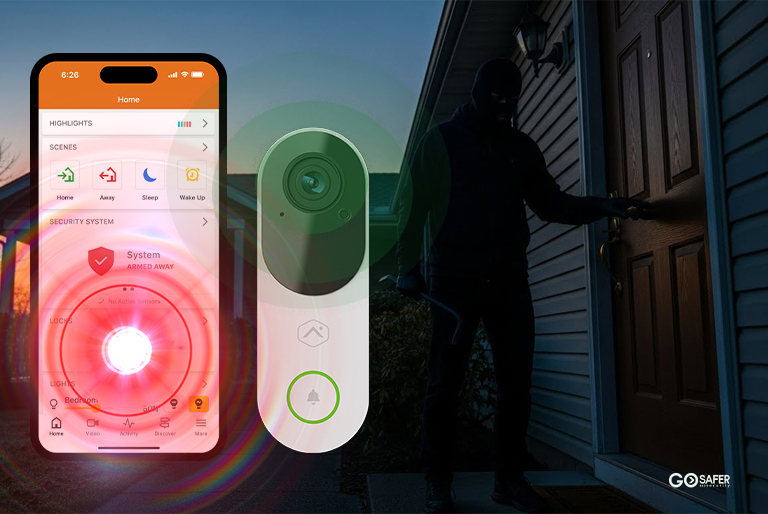
A burglar alarm going off can feel chaotic, especially if you’ve never experienced it before. Loud sirens. Phone notifications. Maybe even a call from an unknown number asking for a password you haven’t used in months. It all happens fast, and when adrenaline kicks in, details get blurry.
When a burglar alarm is triggered, a lot more is going on behind the scenes than most people realize. It’s not just noise. It’s a chain reaction; fast, coordinated, and designed to shrink the window of opportunity for an intruder.
So let’s walk through exactly what happens when a burglar alarm is triggered, step by step.
Table of Contents
ToggleCommon Myths About Burglar Alarms
Some believe alarms automatically send police the second they beep. Others think criminals ignore sirens entirely.
Neither is completely accurate.
Today’s systems follow a structured response process that balances verification, speed, and legal compliance.
The Real Risk Window During a Break-In
Here’s something most business owners don’t realize: the average burglary attempt is quick. Very quick. Many intruders aim to be in and out within minutes. That means every second between detection and response matters.
Step 1 – The Sensor Detects Suspicious Activity
Everything begins with a trigger.
The most common triggers include:
- Door/Window Contacts detect forced entry.
- Motion Sensors detect movement inside a secured zone.
- Glass-Break Sensors identify sound patterns of breaking glass.
Each sensor type plays a specific role. Think of them as layers of defense rather than standalone tools.
How Smart Detection Reduces False Alarms
Modern systems filter environmental noise. Pets, airflow, and minor vibrations are accounted for. This reduces unnecessary dispatches and keeps response credibility intact.
Step 2 – The Control Panel Processes the Signal
Once a sensor activates, the control panel evaluates the signal.
Is the system armed?
Is this within an entry delay window?
Is it set to silent mode?
Instant Alerts vs Delayed Entry Settings
If someone enters through an authorized door, they may have 30–60 seconds to disarm the system. That’s the entry delay.
If no code is entered within that window, the alarm escalates.
Silent Alarm vs Audible Siren
Some systems are programmed to sound loudly. Others trigger silently, particularly in commercial environments where authorities are contacted without alerting the intruder.
Step 3 – The Alarm Sounds On-Site
If configured for audible response, sirens activate immediately.
Why Loud Sirens Deter Intruders
Noise creates pressure. It signals exposure. Most burglars do not want attention. A 100+ decibel siren dramatically increases perceived risk.
Flashing Lights and Audible Warnings
Strobe lights and external sirens alert neighbors and passersby. Visibility matters as much as sound.
Step 4 – Signal Is Sent to the Monitoring Center
Simultaneously, the system sends a signal to the monitoring station.
This transmission typically happens within seconds.
Cellular vs Wi-Fi Communication Paths
Modern alarms often use cellular backup in addition to Wi-Fi. That means if internet is cut, the signal still transmits.
What Happens If Power Is Cut?
Most control panels include battery backups. Cutting power rarely disables a properly installed system.
Step 5 – Verification and Threat Assessment
Monitoring professionals don’t blindly dispatch authorities.
They verify.
Call-Back Procedures
The monitoring center calls the property owner or designated contact list. If a valid passcode is given, dispatch may be canceled.
If no answer or the wrong code is provided, escalation begins.
Video Verification and Modern Smart Systems
Some systems include video verification. Operators can confirm visible intrusion, increasing dispatch priority.
Step 6 – Emergency Dispatch
If the threat appears legitimate, police are notified.
Police Notification Timeline
This typically occurs within minutes of trigger detection, depending on verification steps.
Priority Response and Local Policies
Some municipalities require verified alarms before dispatch. That’s why modern systems emphasize confirmation methods.
What Happens If It’s a False Alarm?
False alarms happen. A forgotten code. An employee entering early. A door not fully latched.
Common Causes of False Triggers
- User error
- Low batteries
- Improper installation
How to Prevent Unnecessary Dispatch
Regular maintenance and user training dramatically reduce false alerts.
How Modern Burglar Alarm Systems Are Evolving
Security technology isn’t standing still.
AI-Enhanced Detection
Advanced analytics can differentiate between human movement and environmental noise.
Remote Access Through Mobile Apps
Business owners can arm, disarm, and view live alerts remotely. That control reduces uncertainty and improves reaction time.
The Role of Professional Monitoring in Business Security
Self-monitored systems rely on push notifications. If your phone is off, what happens?
Professional monitoring operates 24/7. There’s always someone watching the signal stream.
For commercial properties, that difference matters.
How Fast Is the Entire Process?
From trigger to dispatch, the process can occur within minutes.
But speed depends on:
- Communication reliability
- Verification procedures
- Local law enforcement protocols
The strongest systems reduce friction at every stage.
Why Response Speed Is Everything
Think of an alarm as a race against time.
The faster detection happens, the less opportunity exists for damage, theft, or vandalism.
Security isn’t just about stopping crime. It’s about limiting exposure.
Final Thoughts on Burglar Alarm Activation
When a burglar alarm is triggered, it sets off a chain reaction designed to protect property, assets, and people.
Detection.
Verification.
Dispatch.
Each layer works together. And when installed and maintained correctly, the system does exactly what it was built to do: reduce risk when it matters most.